
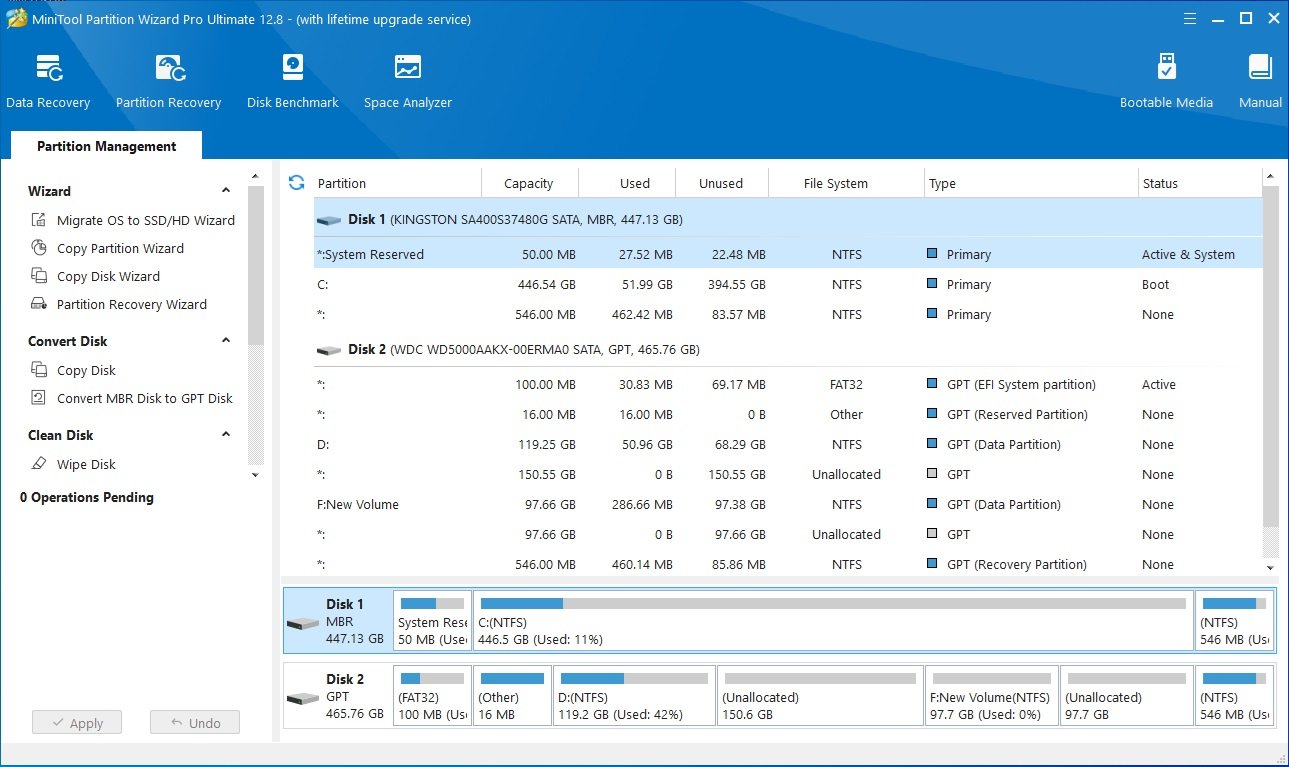
In today’s digital age, managing data efficiently is crucial for both individual users and businesses. As we accumulate more and more files, applications, and media, organizing our storage becomes increasingly important. That’s where disk partition software comes into play, allowing users to manage their hard drive space effectively, ensuring optimal performance. Among the numerous tools available on the market, MiniTool Partition Wizard stands out as a comprehensive solution for all your disk management needs.
Understanding Disk Partitioning
Before diving into the features of MiniTool Partition Wizard, it’s essential to understand what disk partitioning is and why it’s important. Disk partitioning is the process of dividing a hard drive into multiple independent sections or “partitions.” Each partition acts as a separate drive, allowing users to manage files, operating systems, and applications more efficiently. Whether you’re creating space for a new operating system or simply organizing your files, disk partitioning is a valuable tool.
For instance, if you have a single hard drive with 1TB of space, you can create separate partitions for your operating system, personal files, and backup. This not only helps in organizing data but also improves system performance. If one partition gets corrupted, it won’t affect the others, providing an extra layer of security for your data.
Why MiniTool Partition Wizard?
MiniTool Partition Wizard is an all-in-one disk partition software designed to cater to both beginners and professionals. It offers a wide range of features that go beyond simple partitioning. Here are some of the standout features that make MiniTool Partition Wizard a top choice:
1. User-Friendly Interface
MiniTool Partition Wizard boasts an intuitive interface that’s easy to navigate, even for those unfamiliar with disk management software. Whether you’re resizing, merging, or splitting partitions, the tool guides you through each step, making the process smooth and error-free.
2. Versatile Partition Management
This tool isn’t just for creating partitions; it allows users to resize, move, merge, split, delete, and format partitions effortlessly. Whether you’re reallocating space between different partitions or recovering lost partitions, MiniTool Partition Wizard has you covered.
3. Data Protection
One of the biggest concerns users have when managing their disks is data loss. MiniTool Partition Wizard provides features that ensure your data remains intact during operations like resizing or moving partitions. The built-in data protection mode ensures that no files are lost during the process, making it a safe choice for critical operations.
4. Disk Conversion
MiniTool Partition Wizard also supports disk conversion, allowing users to convert MBR disks to GPT without data loss and vice versa. This is particularly useful when upgrading to a larger hard drive or switching to a more modern system.
5. Disk Cloning
If you’re looking to upgrade your hard drive or SSD, the disk partition tool includes a disk cloning feature that allows users to copy all data from one disk to another. This eliminates the need for reinstalling your operating system and applications, saving time and effort.
6. Support for Multiple File Systems
MiniTool Partition Wizard supports a variety of file systems, including NTFS, FAT32, and exFAT, making it versatile and compatible with various devices and operating systems.

Advanced Features for Professionals
For advanced users, MiniTool Partition Wizard offers features that go beyond basic partition management. These include:
- Disk Benchmarking: Measure the read/write speed of your hard drives and SSDs to identify any performance issues.
- Disk Usage Analyzer: Analyze your disk space usage to see which files and folders are taking up the most space.
- File Recovery: Recover lost or deleted files from damaged or formatted partitions.
These advanced tools make MiniTool Partition Wizard not just a disk partition software but a comprehensive disk management solution for IT professionals and businesses.
Use Cases for MiniTool Partition Wizard
1. Optimizing System Performance
Over time, your operating system might slow down due to insufficient disk space. By using MiniTool Partition Wizard to reallocate space between partitions, you can free up space where needed, improving overall system performance.
2. Dual Boot Systems
If you want to run multiple operating systems on the same machine, MiniTool Partition Wizard can help you create separate partitions for each OS, ensuring they remain isolated from each other. This is especially useful for developers or users who need to test software in different environments.
3. Data Organization
For users who deal with large amounts of data, partitioning can help in organizing files more effectively. By creating different partitions for different types of data, you can improve file access times and reduce the risk of data corruption.
Conclusion
Whether you’re a casual user looking to organize your hard drive or a professional seeking advanced disk management tools, MiniTool Partition Wizard offers a robust solution. With its easy-to-use interface, powerful features, and data protection capabilities, it’s a tool that every computer user should consider. Not only does it simplify the process of disk partition management, but it also offers advanced features that make managing your data a breeze.
